
Clone Hero on Mac: Download, Install, Songs & Controllers
Want to play Clone Hero on a MacBook or desktop Mac? This guide explains what the official release confirms, how to install the macOS package, where Mac user data lives, how to add songs and what to test when a controller or chart does not appear.
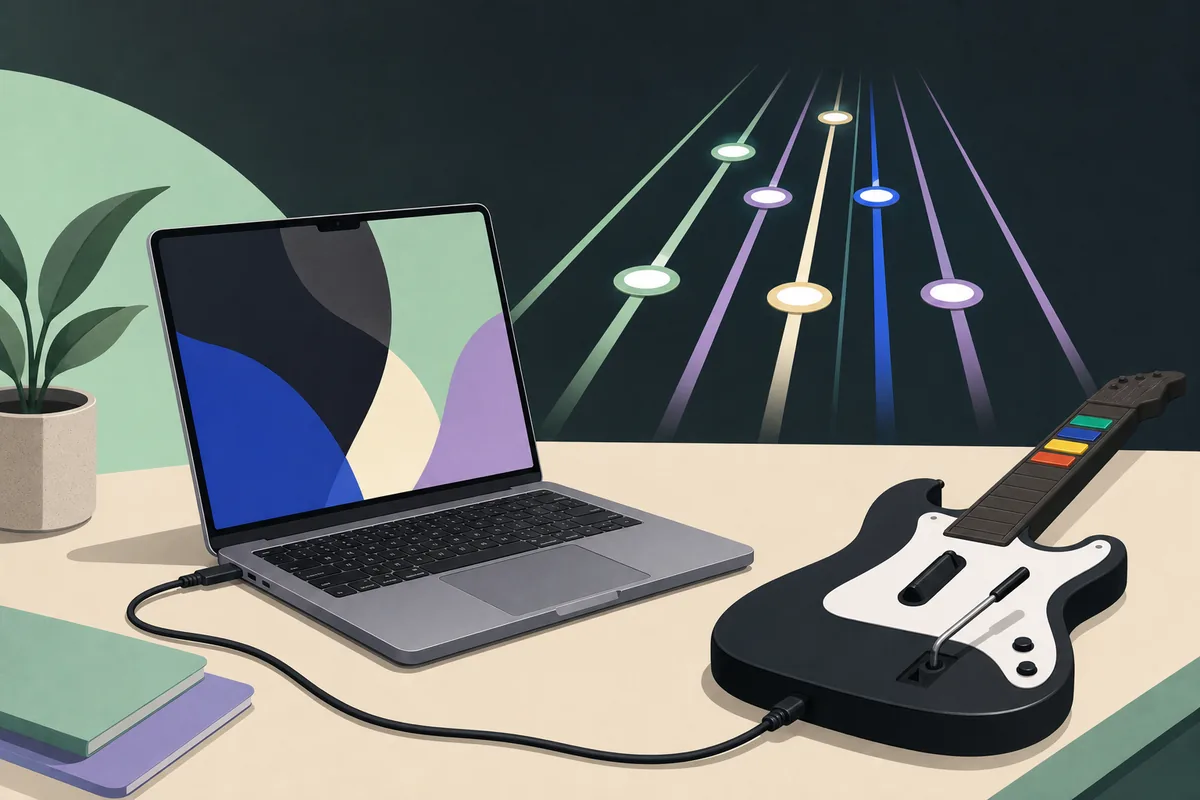
Yes, the official release publishes a macOS build
Clone Hero can run on Mac when you use the macOS package published through the official release route. The current official release checked on August 16, 2026 is v1.1.0.6142. The release page lists a macOS download destination, but it does not publish a complete Mac hardware matrix, so treat Intel versus Apple silicon behavior as something to test on your own Mac rather than a promise made by this guide.
For a clean first test, download from the official Clone Hero releases page, open the DMG, move the app to Applications, launch with the keyboard and play one known-good chart. Add a guitar, a large song library and custom visual files only after the basic launch works.
Can you play Clone Hero on Mac?
The platform answer is yes; the practical answer depends on the release package, macOS security checks, graphics behavior and controller path.
The official Clone Hero website publishes Mac alongside Windows, Linux, Android and iOS as supported release destinations. That is the reliable platform fact. It does not mean that every old macOS version, virtual machine, adapter or third-party wrapper will behave the same way. Start from the official package and keep the first test small.
The phrase Clone Hero on Mac can mean several different tasks: installing the game, finding the Songs folder, adding custom charts, connecting a Guitar Hero controller or updating without losing a library. Keeping these tasks together on one Mac-specific page is more useful than sending every reader to a generic PC requirements list.
The official pages also separate the game from community charts. A Mac install does not include every Guitar Hero or Rock Band song, and a page claiming to provide an all-in-one Mac bundle should be treated cautiously. The game file, chart folder and audio rights are separate questions.
| Question | Safe answer | What to check |
|---|---|---|
| Is there a Mac build? | Yes, the official release route lists macOS. | Use the platform label on the current official release page. |
| Is every Mac supported? | The official page does not provide a complete hardware matrix. | Test launch, audio, one chart and controller input on the actual Mac. |
| Does the Mac download include songs? | No. Charts and the game are separate. | Use a trusted chart source and keep the song folder complete. |
| Is a controller required? | No. The keyboard is enough for the first launch test. | Add the guitar after the game and one chart work. |
Install Clone Hero on Mac from the official release page
Use the official releases page instead of a mirror that repackages the app. The page is the stable source to compare the current version and platform destination. This site does not replace the official file, provide a modified DMG or claim that a signed redirect is a permanent direct link.
After the DMG finishes, open it and move Clone Hero to Applications. If macOS shows a security prompt, confirm that the file came from the official release destination before choosing to open it. Do not solve a launch warning by downloading a second copy from an unknown “fix” site. If the app opens once, close it normally so it can create its profile and user-data folders before you import content.
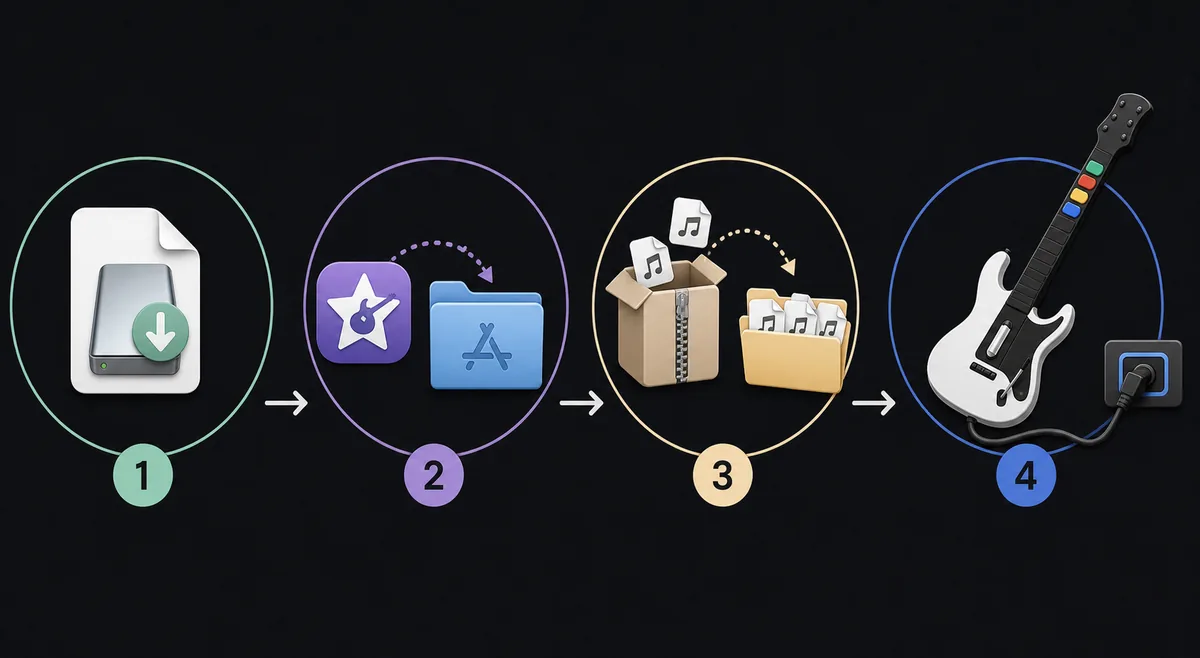
- 1
Check the version and source
Open the official releases page and confirm the macOS destination and version before downloading. Do not use a torrent, paid hard drive, modified app or “all songs included” bundle.
- 2
Open the DMG
Open the downloaded DMG and move the application to Applications. Keep the original download until the first successful launch, then remove it only if you no longer need the installer.
- 3
Launch with the keyboard
Start the game without a guitar first. Confirm that the menu accepts keyboard input, audio plays and the game can create or read a profile. This separates macOS app issues from controller issues.
- 4
Test one chart
Use one chart with clear metadata, extract it into a complete song folder and run Scan Songs. A small test reveals a path or archive problem faster than a multi-gigabyte library.
- 5
Add hardware last
After the keyboard test passes, connect the guitar or gamepad, assign it to a player and map the fret, strum, Start, Select and whammy inputs.
Mac folders: Songs, Custom and settings
A common Mac mistake is treating the DMG or Applications folder as the song library. The application is only the game. Songs, custom content and settings live in user-data locations that should be backed up separately. The official Wiki’s Data Locations reference is the right place to confirm path changes for the current build.
The safest option is still the in-game folder control when it is available: open the default Songs folder from the game, then copy a small extracted chart there. Finder paths can vary with portable mode, release changes and how the app was first launched. Never assume that a folder with a similar name is the active path.
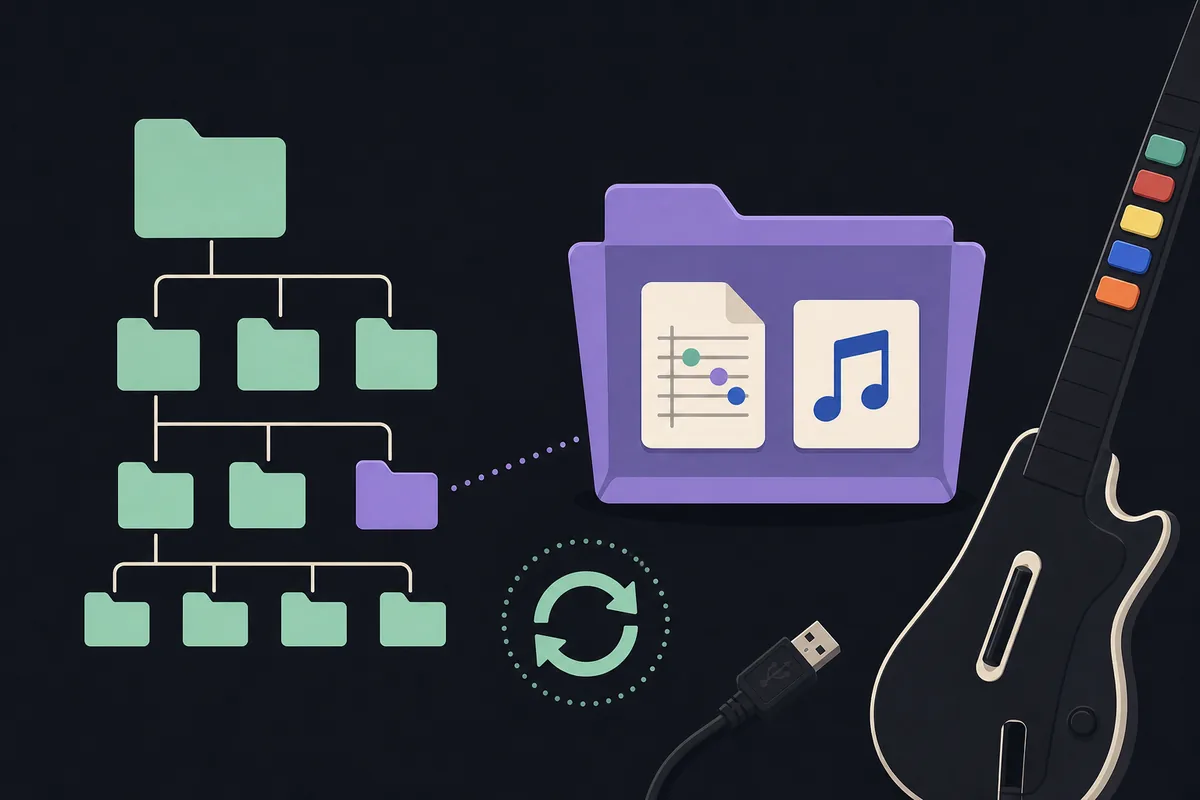
- Keep a backup of Songs and Custom before an update or migration.
- Keep each chart in its own complete folder rather than flattening every file into one directory.
- Do not rename or move a working library while the game is open.
- If the folder is on an external drive, connect it before launching and confirm the path is still available.
| Location or item | What it is for | Mac check |
|---|---|---|
| Applications | The installed Clone Hero app. | Do not place the song library inside the app bundle. |
| Songs folder | The active location scanned for chart folders. | Open the current default folder from Clone Hero when possible. |
| Custom folder | Custom content such as highways or other user assets. | Back it up before updates and keep it separate from the DMG. |
| User settings | Profiles, preferences and local game data. | Use the official Data Locations page if the path differs from an older guide. |
| Downloaded archive | ZIP, RAR, 7z or another delivery container. | Extract it; do not point Scan Songs at the archive itself. |
Add songs on Mac without broken scans
The general workflow is the same as on other platforms, but the location and archive steps are where Mac users most often lose time. Download a chart from a source that shows its charter, instruments, difficulty and file type. Extract ZIP, RAR or 7z files before scanning. The final song folder should contain the chart data, song.ini and audio together rather than another nested folder created by the archive.
Open Settings and use Scan Songs after copying a small batch. If a track does not appear, check folder depth, missing audio, a missing song.ini, invalid chart data and badsongs.txt. The official Wiki’s Adding Custom Songs reference is more reliable than a random Mac-specific path copied from an old forum post.
For a complete walkthrough of adding downloaded or custom songs, use the site’s How to Add Songs guide from the related resources below. This Mac page adds platform context; it is not a second song-download directory.
- 1
Download a chart, not an unknown installer
Prefer a maintained chart index or a project page that exposes metadata. A song download should not require an unrelated executable.
- 2
Extract the archive
Open the archive with a trusted Mac extraction tool and inspect the resulting folders. If you see two nested folders before song.ini, fix the depth before scanning.
- 3
Copy one complete song folder
Place the folder in the active Songs directory. Do not copy only notes.mid, only audio or only the visible song name.
- 4
Scan and read the result
Run Scan Songs, launch the chart and check both notes and audio. If it is rejected, read badsongs.txt and fix the reported path or file problem.
Controllers and macOS compatibility
A keyboard is the best baseline because it avoids receiver, Bluetooth, driver and adapter variables. When you add a guitar, connect the simplest known path first: a wired USB controller or a receiver that macOS can see at the system level. A Guitar Hero logo alone does not tell you whether a particular console dongle, PS2 adapter, Wii connection or wireless bridge will work.
The controller can be physically fine and still fail in Clone Hero because macOS never exposes the expected inputs, the adapter reports incomplete buttons or the game assigns the device to the wrong player. Map every fret, strum, Start, Select, tilt and whammy input, then test one chart. For receiver and mapping details, open the site’s Clone Hero Controller Guide from the related links.
Do not treat a controller failure as proof that the Mac build is broken. Check system-level detection, try the keyboard, remove extra Bluetooth devices and compare with a known-good wired input before changing the game version.
- Keyboard works but guitar does not: investigate receiver, adapter, assignment or mapping first.
- Guitar is detected but buttons are wrong: map controls again and test one input at a time.
- Wireless connection is unstable: test a wired route or a supported receiver before importing songs.
- Drums or specialty hardware: confirm the platform-specific input path before assuming feature parity.
Update and backup checklist for Mac
The latest version check for this page found no release newer than v1.1.0.6142 on August 16, 2026. The safest update habit is still to check the official release page, close the game, back up Songs, Custom and settings, then test the new app with the keyboard before reconnecting a large library.
If you use the official Launcher, let the Launcher manage its own app files but keep your personal library backup outside the application. If you use the standalone DMG, do not overwrite a working setup until you know where the current user-data folders are. The site’s Clone Hero Update guide covers the general backup and rollback order.
This page does not claim a permanent direct DMG URL or a safety scan. When a release asset uses a signed or temporary redirect, follow the official release page instead of copying a URL that may expire.
- Record the installed version before changing files.
- Copy Songs, Custom and settings to a separate backup location.
- Install or update from the official release route.
- Launch a clean test, scan one chart and test the controller.
- Restore the larger library only after the small test passes.
Mac troubleshooting quick checks
If Clone Hero does not open, start with the package and macOS security layer: confirm the DMG came from the official release route, check the app location and read the system prompt. If the game opens but closes when a chart loads, test a known-good chart without custom visual assets. If only songs are missing, the likely layer is the active Songs path, folder depth or chart contents.
If the menu works but the screen stutters, compare a small chart with default visuals and close heavy background apps. If audio or notes feel late while the frame rate is stable, calibrate timing instead of reinstalling. If the controller alone fails, return to keyboard input and system-level device detection.
| Symptom | Likely layer | Next action |
|---|---|---|
| App will not open | DMG, app permission or macOS security | Recheck the official package and the system prompt. |
| Menu opens but no songs appear | Active path or scan | Open the default Songs folder and run Scan Songs. |
| One chart is rejected | Archive depth or missing file | Inspect song.ini, chart data, audio and badsongs.txt. |
| Keyboard works, guitar fails | Receiver, adapter or mapping | Check system detection, then remap one input at a time. |
| Update opens with an empty library | User-data path or migration | Restore the backed-up Songs/Custom paths and rescan. |
Clone Hero on Mac FAQ
Can you play Clone Hero on a Mac?
Yes. The official Clone Hero release route lists a macOS build. The release page does not publish a complete Mac hardware matrix, so confirm the current package, launch with a keyboard and test one chart on the Mac you actually use.
How do I install Clone Hero on Mac?
Open the official macOS DMG, move Clone Hero to Applications, follow the macOS security prompt if it appears and launch once with the keyboard before adding songs or a guitar controller.
Where is the Clone Hero Songs folder on Mac?
Use the in-game Open Default Songs Folder control when available, or confirm the current path in the official Clone Hero Wiki Data Locations reference. Do not assume that Applications or an old forum path is the active library.
How do I add songs to Clone Hero on Mac?
Download a chart from a source you trust, extract the archive, copy one complete song folder into the active Songs folder, run Scan Songs and check badsongs.txt if the track is rejected. Keep chart data, song.ini and audio together.
Will Clone Hero work on Apple silicon?
The official release page lists the macOS destination but does not provide a complete Intel-versus-Apple-silicon compatibility matrix. Treat Apple silicon behavior as a local test: launch the current build, play one chart and check your controller before importing a large library.
Why is my guitar controller not working on Mac?
The receiver or adapter may not expose the expected inputs to macOS, or Clone Hero may have the wrong player assignment or mapping. Confirm system-level detection, test the keyboard, then map fret, strum, Start, Select and whammy inputs.
What is the latest verified Clone Hero version for Mac?
The latest version verified for this guide on August 16, 2026 is v1.1.0.6142. Check the official releases page again before downloading because release assets and platform notes can change.
Sources and verification
Platform, release and data-location facts were checked on August 16, 2026. The illustrations on this page are editorial explanations, not official screenshots; the Mac hardware guidance is cautious practical advice rather than a developer-published compatibility guarantee.