
Clone Hero on Linux: Download, Install, Songs & Controllers
This Linux guide covers the official release route, TAR extraction, executable permissions, Songs and Custom locations, controller mapping, audio checks and safe updates. It keeps the platform-specific details here while linking to the site's broader song and controller guides.

Yes, Clone Hero has an official Linux release route
The current official release checked on August 22, 2026 is v1.1.0.6142, and its platform assets include the Linux.x86_64-Standalone.tar package. The release page is the source of truth for the current file and any changed instructions. This page uses that official release page as a download fallback because a stable direct asset URL and file size could not be independently re-verified here.
For a clean first test, open the official v1.1.0.6142 release page, download the Linux package, extract it into a user-owned folder and make the clonehero executable before launching. Test the keyboard and one known-good chart before importing a large library or troubleshooting a guitar.
Open the official Linux download route
Linux standalone
Linux.x86_64-Standalone.tar on the official release page
Open release pageOfficial Launcher
Compare the managed Linux route on clonehero.net
Open Launcher pageCan you play Clone Hero on Linux?
The platform answer is yes; the practical answer depends on the current build, graphics stack, file permissions and controller path.
The official release route publishes Linux alongside the other supported destinations. That confirms a Linux build exists, but it is not a promise that every distribution, desktop environment, driver or compatibility layer behaves identically. Start with the standalone package on the actual machine you intend to use.
The phrase Clone Hero on Linux covers several jobs: installing the game, making the binary executable, finding the active Songs folder, scanning charts, connecting a guitar and fixing fullscreen or audio behavior. Keeping those tasks together makes this page more useful than sending every Linux visitor to a generic PC requirements list.
The game and the community chart library are separate. A Linux download does not include every Guitar Hero or Rock Band song, and an archive that promises a modified all-in-one bundle is not the normal official route.
| Question | Safe answer | What to check |
|---|---|---|
| Is there a Linux build? | Yes, the official release lists a Linux standalone package. | Use the current platform label on the official release page. |
| Does every Linux setup work the same? | No. Distribution, graphics drivers and desktop settings can change behavior. | Test launch, audio, one chart and fullscreen on the target machine. |
| Does the Linux download include songs? | No. The game and community charts are separate. | Use a trusted chart source and keep the complete song folder. |
| Do I need a guitar? | No. Keyboard input is a useful first-launch baseline. | Add the controller after the game and one chart work. |
Download the official Linux build
Use the official release page rather than a mirror that repackages the game. The page identifies the current version and Linux asset. This guide does not replace the official file, provide a modified TAR or claim that a temporary signed redirect is a permanent direct link.
The release materials checked for this page identify v1.1.0.6142 and the Linux.x86_64-Standalone.tar package. The official SHA-1 shown in the release material is 63350926e834b72a7ca193d46391199076f91bf3. A file size and stable asset response could not be independently verified in this environment, so use the release page if the asset name, checksum or instructions change.
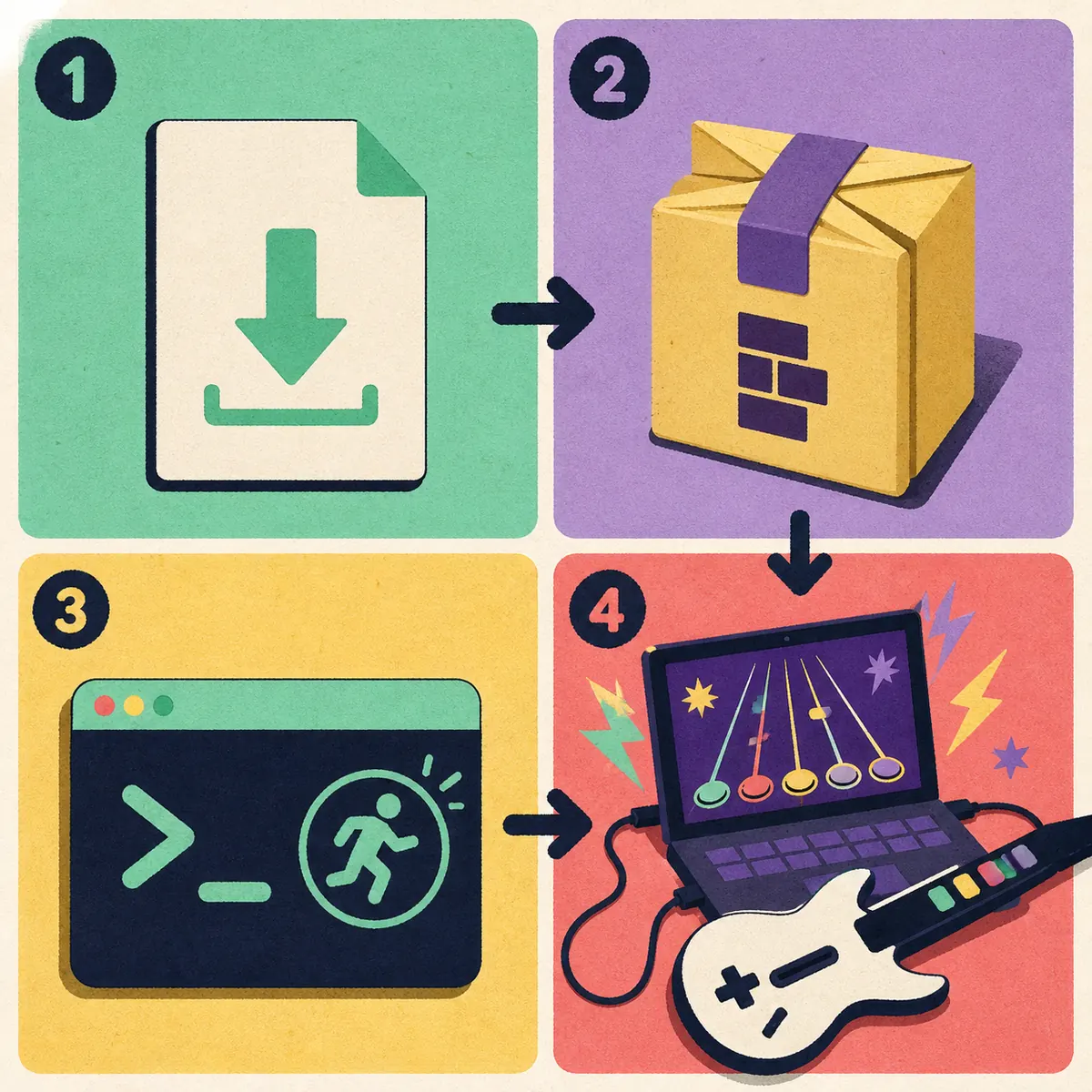
- 1
Check the version and source
Open the official release page and confirm the Linux.x86_64-Standalone.tar label before downloading. Do not use a torrent, paid bundle, modified archive or all-songs installer.
- 2
Extract the TAR
Extract the archive into a folder you own, such as a dedicated Games directory. Avoid placing the writable game folder inside a system location that requires elevated permissions.
- 3
Make the binary executable
In the extracted folder, use your file manager's permission control or a terminal command such as
chmod +x clonehero. The exact file name should match the release contents. - 4
Launch with the keyboard
Start the game without a guitar first. Confirm that the menu opens, keyboard input works and audio plays before changing graphics or importing content.
- 5
Test one chart
Extract one complete chart folder, place it in the active Songs folder and run Scan Songs. A small test separates a path problem from a large-library problem.
Install the Linux TAR and make clonehero executable
The standalone Linux package is closer to an extracted application folder than a traditional distribution package. Keep the extracted files together, run the binary from that folder and avoid moving only one executable away from its supporting files. If you later create a desktop shortcut, point it to the working binary and preserve its working directory.
A first launch should be deliberately boring: keyboard input, default visuals, one chart and a normal audio device. Once that baseline works, add a controller, custom highways and the rest of the library one layer at a time.
- Keep the game folder and its supporting files together after extraction.
- Use a user-owned folder so the game can create or update its local data without unnecessary sudo access.
- If a launcher or desktop entry is used, verify its target path and working directory after every move.
- Do not run the game as root just to bypass a folder-permission mistake.
- Record the release version and the folder location before adding a large library.
| Symptom | Likely layer | Next action |
|---|---|---|
| Permission denied | The binary is not executable or the folder is restricted | Set execute permission and move the folder to a user-owned location. |
| No such file or directory | Wrong working directory or incomplete extraction | Run the binary from the complete extracted folder and inspect its companion files. |
| Window opens then closes | Graphics driver, missing library or release mismatch | Test default graphics, read the terminal output and compare the official release notes. |
| Game starts but no audio | Output device or desktop audio route | Check the selected system output, mute state and a second known-good audio device. |
| Game opens with no songs | Wrong Songs path or scan not run | Open the active folder from the game, add one complete chart and scan again. |
Songs, Custom and settings on Linux
The extracted application folder is not automatically the song library. Use the in-game folder control when available, or confirm the current path in the official Wiki's Data Locations reference. Paths can differ between portable-style setups, launcher-managed installs and older guides.
For a chart to scan correctly, extract the archive and keep the chart data, song.ini and audio together in one complete song folder. If you see an extra nested folder, fix the depth before scanning. The site's How to Add Songs guide covers the generic workflow; this page adds the Linux path and backup context.
Back up Songs, Custom and important settings separately from the game folder. A release can be downloaded again, but a carefully organized chart library, scores, profiles and visual assets are user data.
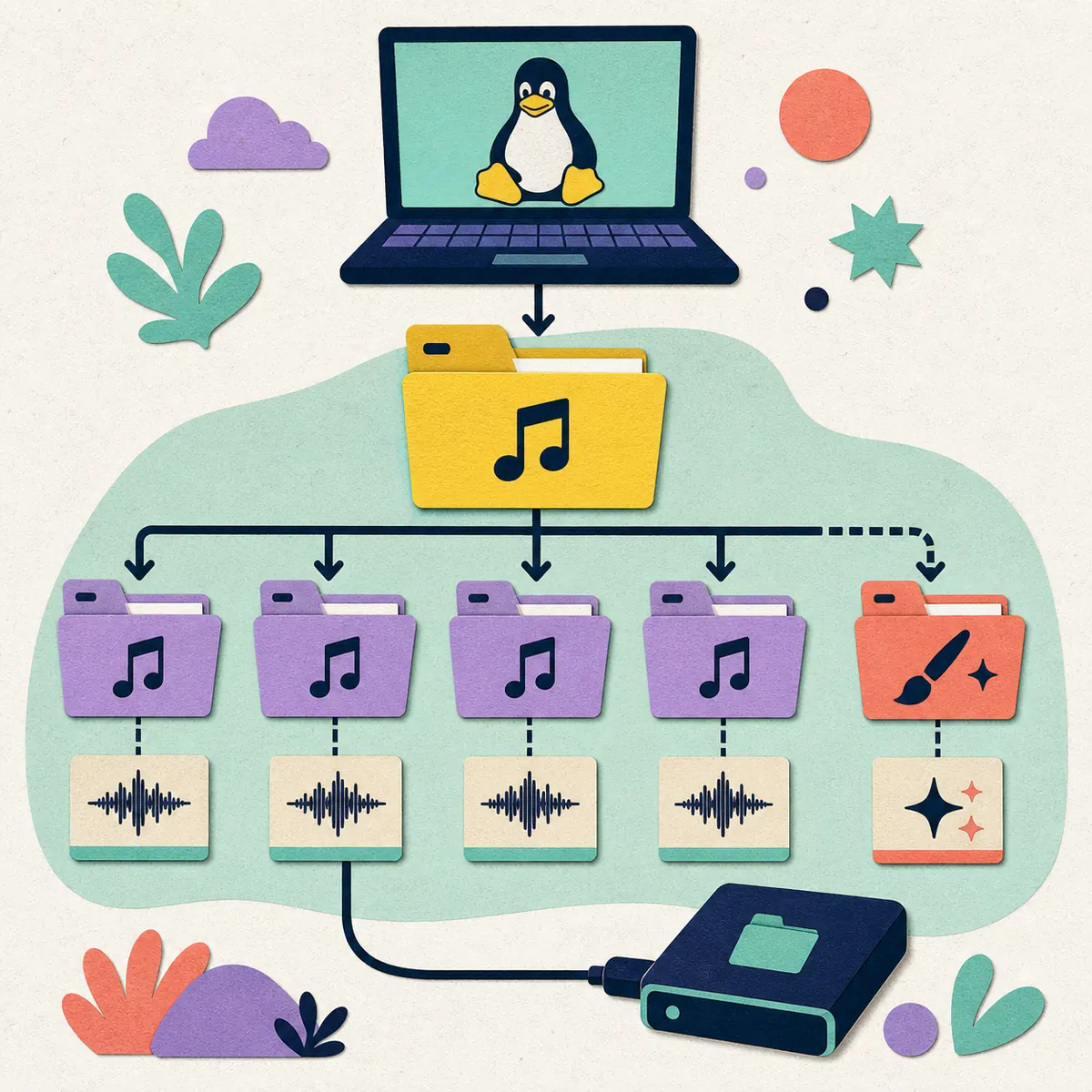
- Keep each chart in its own complete folder rather than flattening files into one directory.
- Run Scan Songs after copying a small batch, not only after moving a multi-gigabyte library.
- Read badsongs.txt or the game's scan feedback when a chart is rejected.
- If an external drive is used, connect it before launching and confirm that the path is still mounted.
- Do not delete the old library until the new path has loaded songs, audio and custom content successfully.
| Location or item | Purpose | Linux check |
|---|---|---|
| Extracted game folder | The executable and supporting application files | Keep the release files together and run from the intended working directory. |
| Songs folder | The active location scanned for chart folders | Use the game's current folder control or official Data Locations reference. |
| Custom folder | Custom highways and other user assets | Back it up before updates and do not confuse it with the TAR contents. |
| Complete song folder | Chart data, song.ini and audio for one song | Avoid archives, missing audio and accidental extra nesting. |
| Backup copy | Recovery after migration or a path mistake | Store it separately while the game is closed and test the backup occasionally. |
Controllers, audio and fullscreen troubleshooting
A keyboard is the cleanest baseline because it removes receiver, Bluetooth, adapter and driver variables. When you add a guitar, connect the simplest known path first: a wired USB controller or a receiver that Linux exposes as an input device. A Guitar Hero logo alone does not prove that a particular console dongle, adapter or wireless bridge will work.
If the controller appears in Linux but not in Clone Hero, check player assignment and map fret, strum, Start, Select, tilt and whammy inputs one at a time. If the menu works but a chart feels late, calibrate timing and inspect audio output before reinstalling. For broader hardware choices, use the site's Clone Hero Controller Guide.
Fullscreen and crash issues should be isolated with default visuals, one chart and the same audio device. Test a windowed launch first, then change one graphics setting at a time. The goal is to identify whether the problem belongs to the game build, the graphics stack, the input device or the chart.
| Symptom | Likely layer | Next action |
|---|---|---|
| Keyboard works, guitar fails | Receiver, adapter or input mapping | Confirm Linux device detection, then assign and remap the controller. |
| Guitar is detected but buttons are wrong | Player assignment or mapping | Map one fret, strum, Start and Select input at a time. |
| Audio is silent | Output route or game audio setting | Check the desktop output, volume and a second known-good device. |
| Notes and audio feel late | Timing calibration or audio path | Calibrate timing with default visuals before changing the install. |
| Fullscreen crashes or flickers | Graphics driver or display mode | Test windowed mode and default settings, then change one option at a time. |
Update Linux without losing songs
The latest version verified for this guide on August 22, 2026 is v1.1.0.6142. Before updating, close Clone Hero, record the current version and back up Songs, Custom and settings to a separate location. Then check the official release page again because assets, checksums and platform notes can change.
Extract a new release into a fresh folder instead of overwriting a working installation immediately. Launch the clean build with the keyboard, scan one chart and test audio. Restore the larger library only after the small test passes. If the Launcher manages the app, keep the same independent backup habit.
This page does not claim a permanent direct TAR link, a file-size match or a safety scan. When the official site uses a redirect or changes its asset layout, follow the official release page rather than copying a temporary URL.
- 1
Record the current setup
Note the installed version, game folder, active Songs path, Custom path and the controller that currently works.
- 2
Back up user content
Copy Songs, Custom, profiles and important settings to a separate drive or directory while the game is closed.
- 3
Download from the official route
Open the current Clone Hero release page and verify the Linux package label before extracting it.
- 4
Run a clean test
Launch the new folder with the keyboard, one chart and default visuals. Check audio and fullscreen separately.
- 5
Reconnect the library
Point the new build to the backed-up paths or restore one content group at a time, then scan and test.
Clone Hero on Linux FAQ
Can you play Clone Hero on Linux?
Yes. The official release route lists a Linux standalone package. Test the current build on your distribution with the keyboard and one chart before importing a large library or controller.
What is the latest verified Clone Hero Linux version?
The latest version verified for this guide on August 22, 2026 is v1.1.0.6142. Check the official release page again before downloading because platform assets and notes can change.
How do I install Clone Hero on Linux?
Open the official release page, download the Linux.x86_64-Standalone.tar package, extract it into a user-owned folder, make the clonehero binary executable and launch it with the keyboard before adding songs.
Why does Linux say permission denied?
The extracted binary may not have execute permission, or the folder may be restricted. Set execute permission on the release binary and use a user-owned game folder; do not run the game as root to hide the underlying path problem.
Where is the Clone Hero Songs folder on Linux?
Use the in-game folder control when available or confirm the current path in the official Wiki Data Locations reference. Do not assume that the extracted application folder is the active Songs folder.
How do I add songs to Clone Hero on Linux?
Download a chart from a trusted source, extract it, place one complete song folder containing chart data, song.ini and audio in the active Songs folder, run Scan Songs and read the scan feedback if it is rejected.
Why is my guitar controller not working on Linux?
Linux may not expose the receiver or adapter as the expected input device, or Clone Hero may have the wrong player assignment or mapping. Confirm system-level detection, test the keyboard and map the controller one input at a time.
How do I fix Clone Hero audio or fullscreen problems on Linux?
Start with default visuals, one chart and a known-good audio device. Check the desktop output route, test windowed mode and change only one graphics or timing setting at a time so the failing layer is clear.
Sources and verification
Platform, release and data-location facts were checked on August 22, 2026. The illustrations are editorial explanations, not official screenshots; controller and desktop troubleshooting is cautious practical guidance rather than a developer-published compatibility guarantee.