Clone Hero Chart Creator: Make Your First Chart
A Clone Hero chart creator turns permitted audio into timed notes you can test in game. This first-chart guide covers Moonscraper setup, beat timing, note entry, metadata and export, with checks for a playable result. It focuses on making charts, not downloading or repairing someone else's songs.
What you need for a first chart
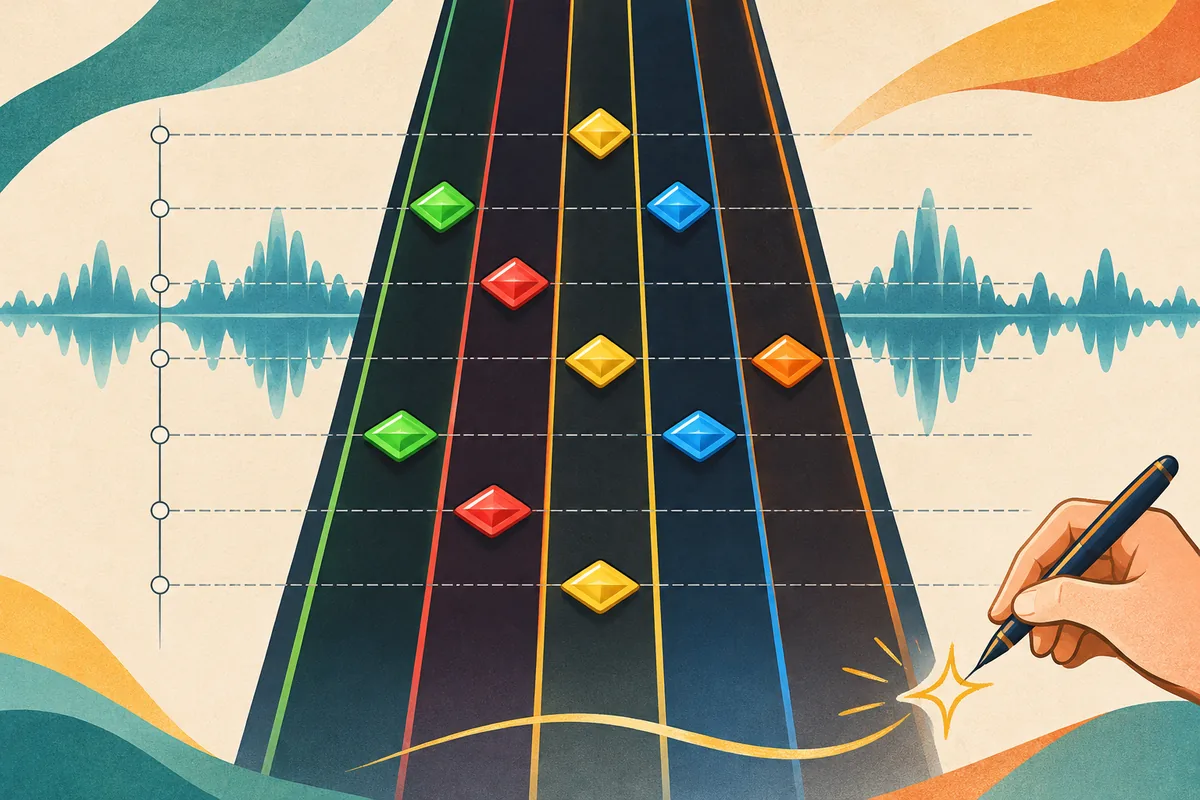
Use Moonscraper or another chart editor with an audio file you may use. Align a steady beat, mark sections, chart one instrument, add song.ini metadata, export, then test the folder in Clone Hero.
Tempo sets the beat spacing; offset corrects a consistent early or late start. If alignment worsens over time, review tempo or meter instead of shifting every note.
Before you use a Clone Hero chart creator
Prepare the exact recording first. An editor cannot fix missing audio or grant permission to share it.
Pick the exact recording you will chart. A live take, remaster and radio edit can differ in length or timing, so changing audio later means checking alignment again. Keep a working copy separate from the export.
Note the title, artist, charter and first instrument before opening the editor. Chart data does not grant rights to redistribute commercial audio; confirm permission separately before sharing a recording.
| Input | Why it matters | Check before charting |
|---|---|---|
| Audio | Timing follows this recording. | Check length, silence and clipping. |
| Tempo | The grid guides note placement. | Listen for changes, pauses and meter. |
| Metadata | Players use it to identify the song. | Prepare title, artist and charter. |
| Permission | Export does not grant music rights. | Share audio only when authorized. |
Get Moonscraper from its official distribution source
Moonscraper Chart Editor is a common option. Its repository says it contains source code, not the application, and directs users to the project website or Releases. Use those official destinations instead of repackaged installers.
Create a named project folder, open a copy of the exact audio and save checkpoints before major timing or note edits. Menu labels can change, but the workflow remains: load, time, chart, add metadata, export and test.
- 1
Use an official source
Open the Moonscraper website or its GitHub Releases page.
- 2
Start a project
Keep project files separate and load the audio copy you will chart.
- 3
Save checkpoints
Back up before changing timing or note structure.
Align audio, offset, BPM and measures
Set the beat grid before placing notes, and check it from the intro through the ending.
Listen for a steady passage and use repeated drum or instrument attacks as landmarks. A waveform can reveal transients, but confirm them by ear; a loud peak is not always the beat.
Estimate BPM across several measures, set the meter, then compare the grid near the start, middle and end. Correct a constant early or late start with offset. Growing drift points to BPM, meter or a tempo change, which offset cannot fix.
- 1
Find the pulse
Use a steady passage, not one loud transient.
- 2
Set BPM and meter
Check beat markers in more than one section.
- 3
Adjust offset
Use it for a consistent early or late grid.
- 4
Check drift
Compare the start, middle and end; revise tempo when the gap grows.
Mark sections before filling in notes
After timing is stable, mark the intro, verse, chorus, bridge and outro with descriptive names. Sketch the structure before editing so a long project is easy to navigate.
Repeated sections may contain different fills, pickups or endings. Mark those changes and replay each boundary before copying notes into a repeat.
- Keep names and order consistent with the recording.
- Mark fills, pickups and breaks before copying notes.
- Replay transitions to catch changed endings.
Place notes that follow the selected instrument part
Chart one audible instrument at a time; do not add notes just to fill space.
Choose a part you can hear clearly. If using stems, check that they start together and stay aligned with the full mix.
Work one phrase at a time: listen, place notes, then replay at normal speed. Use zoom for difficult events, but judge the result at game speed. Avoid copying every waveform peak because instruments can overlap.
- 1
Choose one part
Focus on an instrument you can hear clearly.
- 2
Chart a phrase
Place notes on the grid and replay them.
- 3
Check transitions
Review pickups, pauses and sustains.
- 4
Save a checkpoint
Back up before changing the pattern.
Build difficulties that remain playable
Add easier difficulties after the main chart works. Reduce patterns deliberately while keeping the rhythm and section shape recognizable.
Play each difficulty from start to finish. Check for sudden jumps, copied mistakes and passages that lose the beat. Finish one instrument and difficulty before expanding the project.
| Review point | Question to ask |
|---|---|
| Consistency | Do repeated phrases stay recognizable? |
| Readability | Is the rhythm clear at normal speed? |
| Instrument | Do notes match the named part? |
| Transitions | Are breaks and endings still clear? |
Test the exported chart in Clone Hero
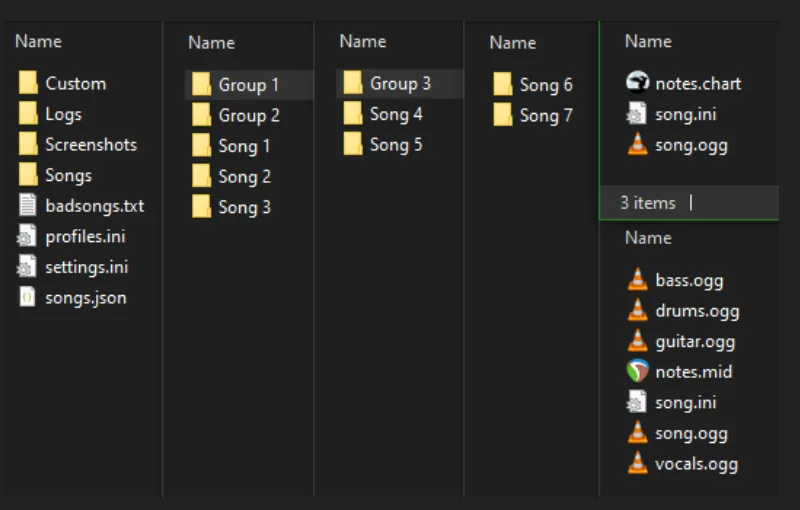
Export one test song and open it in Clone Hero. Confirm that the song appears, metadata is readable, the chosen instrument has notes and audio starts in sync. An editor preview cannot verify the exported folder.
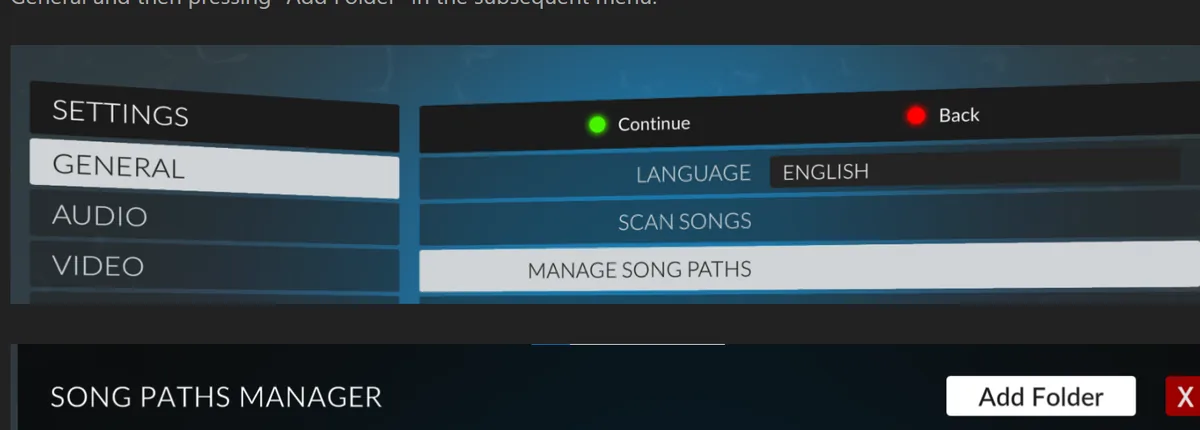
The official manual lists chart data such as notes.chart or notes.mid, audio and song.ini in a song folder. Run Scan Songs, then play the start, middle and ending. For placement instructions, see the song installation guide.
- Confirm the song appears after Scan Songs.
- Check title, artist, instrument and difficulty.
- Listen at the start, middle and end for drift.
- Keep the project and tested export for later fixes.
Export and organize a chart package
Use the editor's Clone Hero export and keep each song in its own folder with chart data, metadata and audio together. Keep the editable project separate from the playable export.
The ZIP vs SNG guide explains downloaded package formats. Before sharing your chart, credit the charter and identify the instrument, difficulty and audio version. Do not label community work as an official release.
Common first-chart problems and what to check
Most first-export problems come from one file, setting or path. Check the symptom below and change one thing at a time before reinstalling the game.
| Symptom | Likely check | Next step |
|---|---|---|
| Drifts later | BPM, meter or tempo change | Compare the start, middle and end; do not shift all notes. |
| Starts early or late | Audio lead-in or offset | Check the same landmark in several sections. |
| No notes appear | Instrument, difficulty or chart file | Inspect the exported part and folder. |
| Metadata is blank | song.ini or editor fields | Complete it, export again and rescan. |
| Song is missing | Scan path or nested folder | Compare the export with the active Songs folder. |
| A stem is out of sync | Different stem start times | Compare stem starts before editing notes. |
Share the chart responsibly
Chart data and its recording have separate rights. Share audio only if you own it or have permission, and follow the source terms for chart files, artwork and metadata.
If you cannot redistribute the recording, share only permitted files and point players to a legitimate source. Credit contributors and state the supported instrument and difficulty. The linked charting walkthrough is community guidance; use official project and game pages for distribution and folder details.
Clone Hero chart creator FAQ
What is a Clone Hero chart creator?
It is software for timing audio, authoring notes and metadata, then exporting a song folder. Moonscraper is one option.
How do I make my first chart?
Load the exact audio, set BPM and offset, mark sections, chart one instrument, add metadata, export and test in game.
Where can I get Moonscraper?
Use the project website or official GitHub Releases. The source-code repository is not the application download.
What files go in a song folder?
The manual lists chart data such as notes.chart or notes.mid, audio and song.ini.
Why does chart timing drift?
A fixed start mismatch may need offset. Growing drift usually needs a BPM, meter or tempo-map correction.
Can I share the audio with my chart?
Only if you have redistribution permission. Otherwise share permitted chart files and link to a legitimate audio source.
Sources and verification
Use official project and game documentation for distribution and folder behavior. The charting walkthrough is community guidance.